Step 10
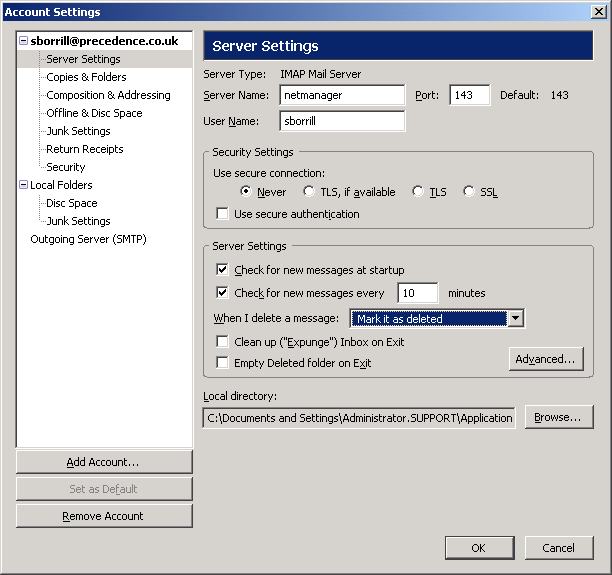
Make sure "Server Settings" is selected in the left-hand panel. Ideally, you should choose the "Mark it as deleted" option in the "When I delete a message:" section. This will make deleted messages grey out ready for being discarded (or expunged). This is the same method as NetManager webmail uses (as well as many other mail clients, e.g. pine) which make it easier to move between client (e.g. webmail for remote access, but Thunderbird internally).Next, click on the "Advanced..." button.
To add extra accounts, click on the "Add Account" button. You can then continue from stage 2 of this walkthrough. Accounts can be deleted from here too.