





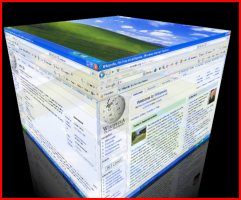
Desktops and apps can be virtualised in the most appropriate way
Virtual Desktops and Apps: Overview
Client-Based vs Server-Based Computing
On a traditional old-fashioned computer network (fat-client), each client runs software using its own processor and, usually, from a local copy of the program. This has a number of downsides. Software must be installed individually on each computer. This can take a significant amount of time and because software versions and settings may vary, it may run differently on each computer. Because the software is running on the local processor and with local memory, the speed of the software is completely linked to the speed of the computer. Older computers will run software slower or even need to be replaced or upgraded to allow them to run the latest software.
Imagine being able to break out of a continuous cycle of upgrades, time-consuming maintenance and unreliability. By moving the software from clients to fast central, secure servers, you can! Server-Based Computing (SBC) revolutionises how computers are used, maintained and purchased. As software is run centrally (not just stored centrally), the speed or age of the client is unimportant. Looking after an SBC network takes a fraction of the time compared to a traditional network and furthermore, offers better performance at a lower cost.
Here are some common issues with the traditional old-fashioned method of managing workstation using MSIs and maintaining local installations:
- Unable to deploy applications in a timely fashion for classrooms causing disruption to classes
- Experiencing frequent help desk calls from teachers thus reducing student productivity
- By committing all the budget to refreshing workstations, schools are left with no funds available for growth or enhancements
- Classroom PCs are too noisy and generate too much heat to provide a suitable environment for learning
- Students in computer suites have little physical space to work when preparing course work
- No remote access to allow students and staff to run curriculum applications from home in a familiar fashion
The Solution
Desktop virtualisation (sometimes called client virtualisation) as a concept separates a traditional Windows personal computer desktop environment from the physical machine using a client/server model of computing. The resulting virtualised desktop runs on a remote central server, instead of on the local storage of a remote client; thus, when users work from their remote desktop client, all of the programs, applications, processes, and data used are kept and run centrally. This scenario allows users to access their desktops on any capable device, such as a traditional personal computer, notebook computer, smartphone, or thin client.
Virtual Desktop Infrastructure (VDI) is the server computing model enabling desktop virtualisation, encompassing the hardware and software systems required to support the virtualised environment. Virtual Desktop also encompasses Server Based Computing (SBC), the technology behind thin-client.
A related technology is Provisioning Services (PVS) which streams the operating system and application image on-demand to your end-point devices. This provides access to all the local computing power and hardware while also provided completely centralised management.
- Change to new thin-clients devices, they use less than a third of lightbulb in power.
- Convert old PCs to thin-clients to extend their life-span and avoid the impact of disposal.
- Consolidate your servers to a virtualised farm by reducing your server hardware. This will decrease your power requirements and reduce the need for air conditioning.